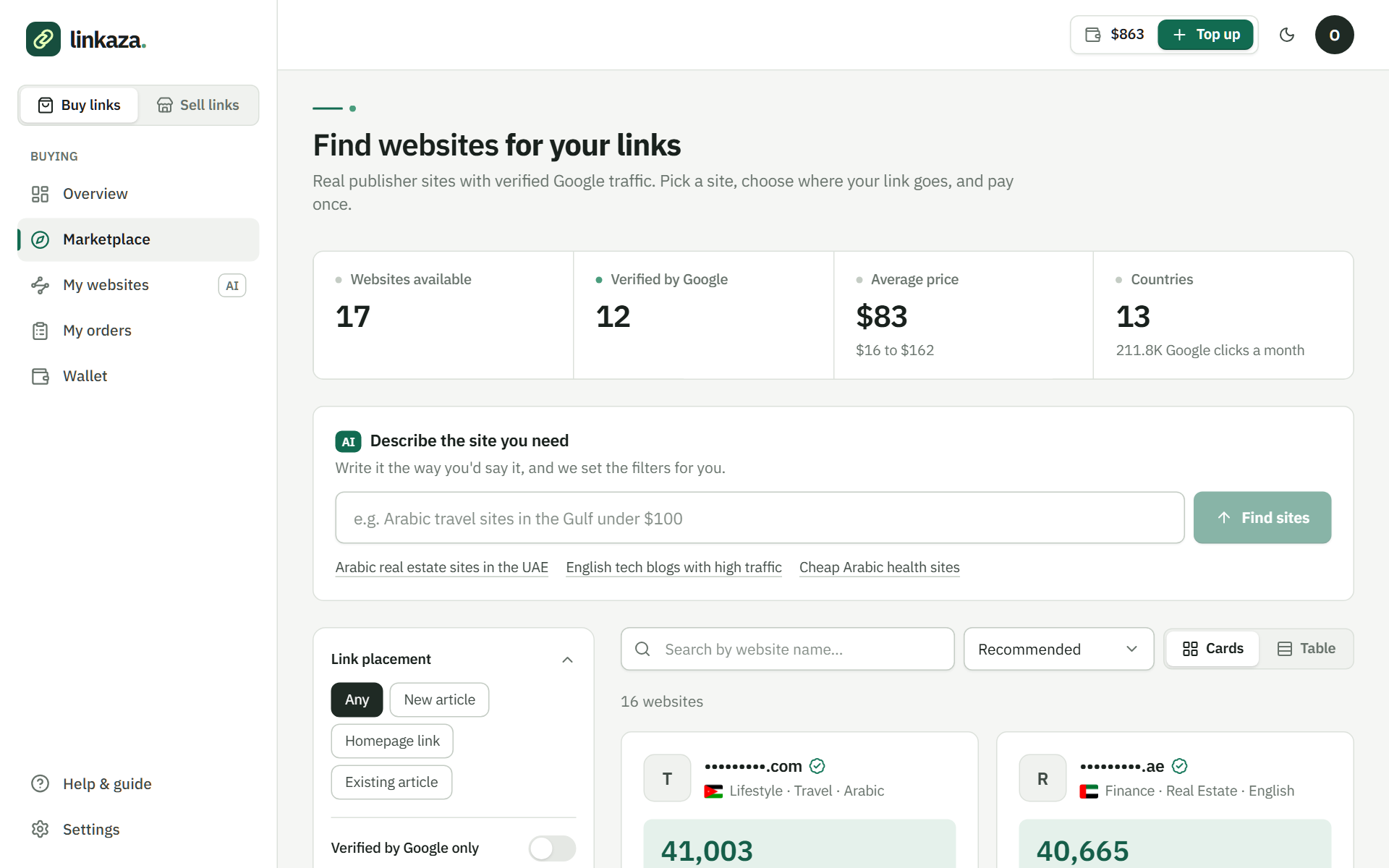
Browse and compare websites
Filter by link placement, category, language, country, price and Domain Rating, with real Google traffic for verified sites.
See what happens at each step, with screenshots from the dashboard. Create a free account, choose a publisher, and keep the order details in one place.
Create your free accountOpen the website you want to support and choose the page that fits the article. Set the anchor text and language, then review the publisher’s requirements and format. If the article is not ready, confirm writing and cost first.
For funding, arrange a transfer with the team on WhatsApp and upload the receipt. The current model is a prepaid balance and payment per order; card payments are not available yet.
The publisher has 72 hours to accept the order. If they decline or do not accept in time, the full amount returns to your balance. This window is not a promise to publish an article within three days.
After acceptance, ask the publisher about timing in the order chat. Answer clarification requests in its chat so the instructions stay with the order record.
Open the delivery URL and check the article, anchor text, destination, and attributes. Report a difference with its exact location so the team can compare the requested and published versions.
Publication review and daily checks follow the link. Measuring visits or clicks on your own site needs your tools and data. The tracking page explains the difference between delivery and campaign performance.
| Stage | What to send or check | What comes next |
|---|---|---|
| Preparation | Publisher, format, and brief | Clear price and writing responsibility |
| Acceptance | Confirmed order | Publisher response within 72 hours |
| Work in progress | Clarifications in the order | Publication and live URL |
| Review | Live publishing URL and link | Verification and order completion |
| Follow-up | Specific link or wording differences | Daily checks and review of reported issues |
Send the change through the order before assuming it can be made. A new topic, destination, or draft can affect the agreement and needs discussion with the publisher and team.
Supply the page that continues the article’s topic, with the anchor text and article or brief. The homepage may fit some goals, but it is not automatically the best destination for every article.
Sign up and confirm your email. One account lets you buy and sell. To add funds, choose an amount, arrange the transfer with our team on WhatsApp, and upload your receipt. Card payments are coming later.
Narrow your search by language, country, topic, price, and DR. Publishers connected to Search Console show actual Google search clicks. You can also describe what you need and let AI search set the filters.
Select a guest post, an existing-article link, a homepage link, or an unlinked brand mention from the site’s available offers. Add the destination and anchor text. Send your article, have the publisher write it, or start from an AI draft.
The order amount is charged to your balance and held. The publisher has 72 hours to accept. If they decline or don’t reply in time, the order is canceled and the full amount returns to your balance automatically.
The order page shows acceptance, work in progress, verification, and completion. Use its chat to speak with the publisher and the Linkaza team so the instructions stay with the order.
The publisher submits the article URL, and our team verifies the link before completing the order. We check it daily after publication. Read the article and message us from the order if the text or destination differs from your agreement.
Add your language, topics, terms, and prices for the placements you offer. Connect Search Console to show actual search clicks. Earnings can be withdrawn 30 days after the order is completed, from $50 to Wise, Payoneer, PayPal, or a bank account.
Filter by link placement, category, language, country, price and Domain Rating, with real Google traffic for verified sites.
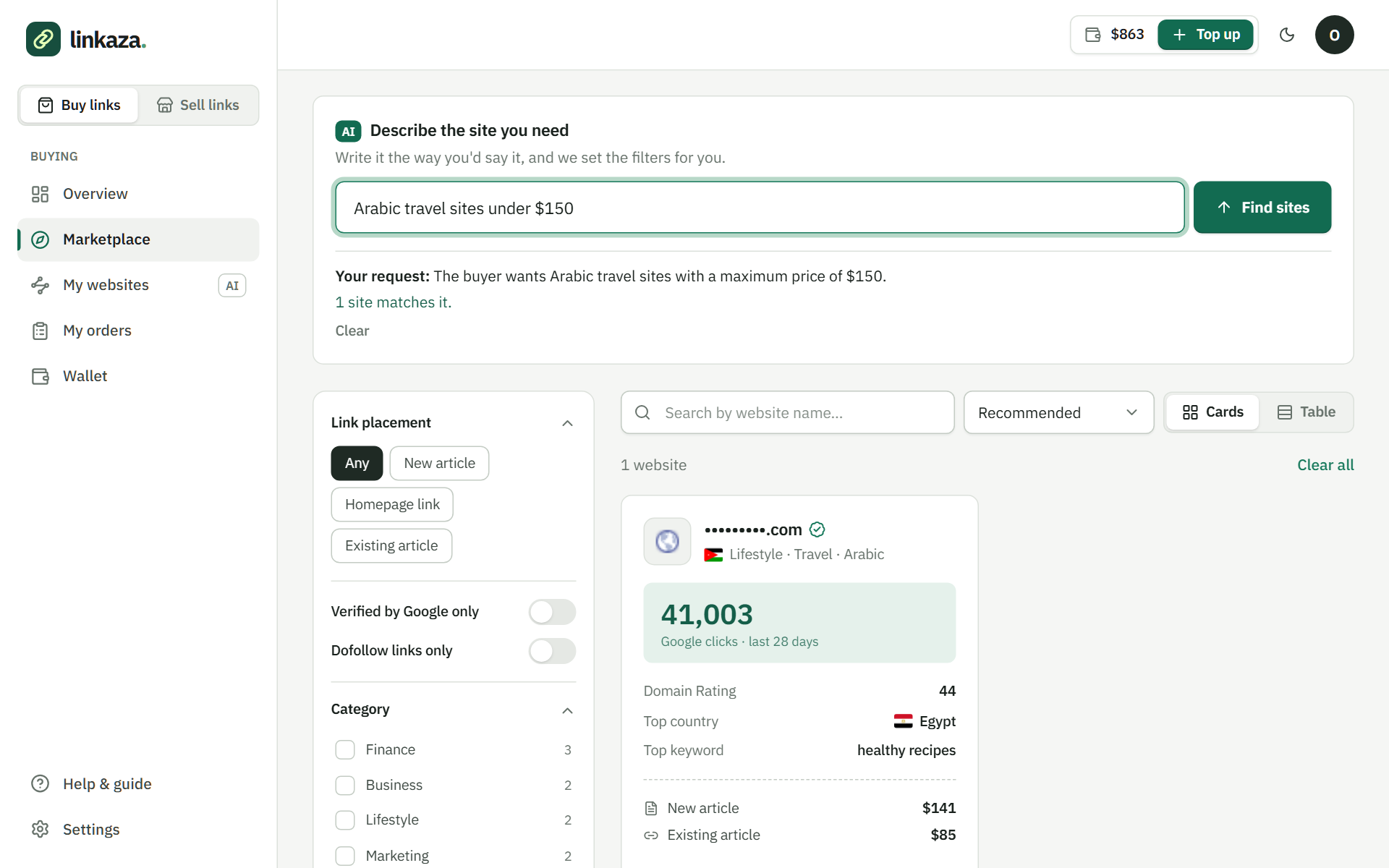
Write it the way you'd say it: the AI sets the filters and shows the closest sites when nothing matches exactly.
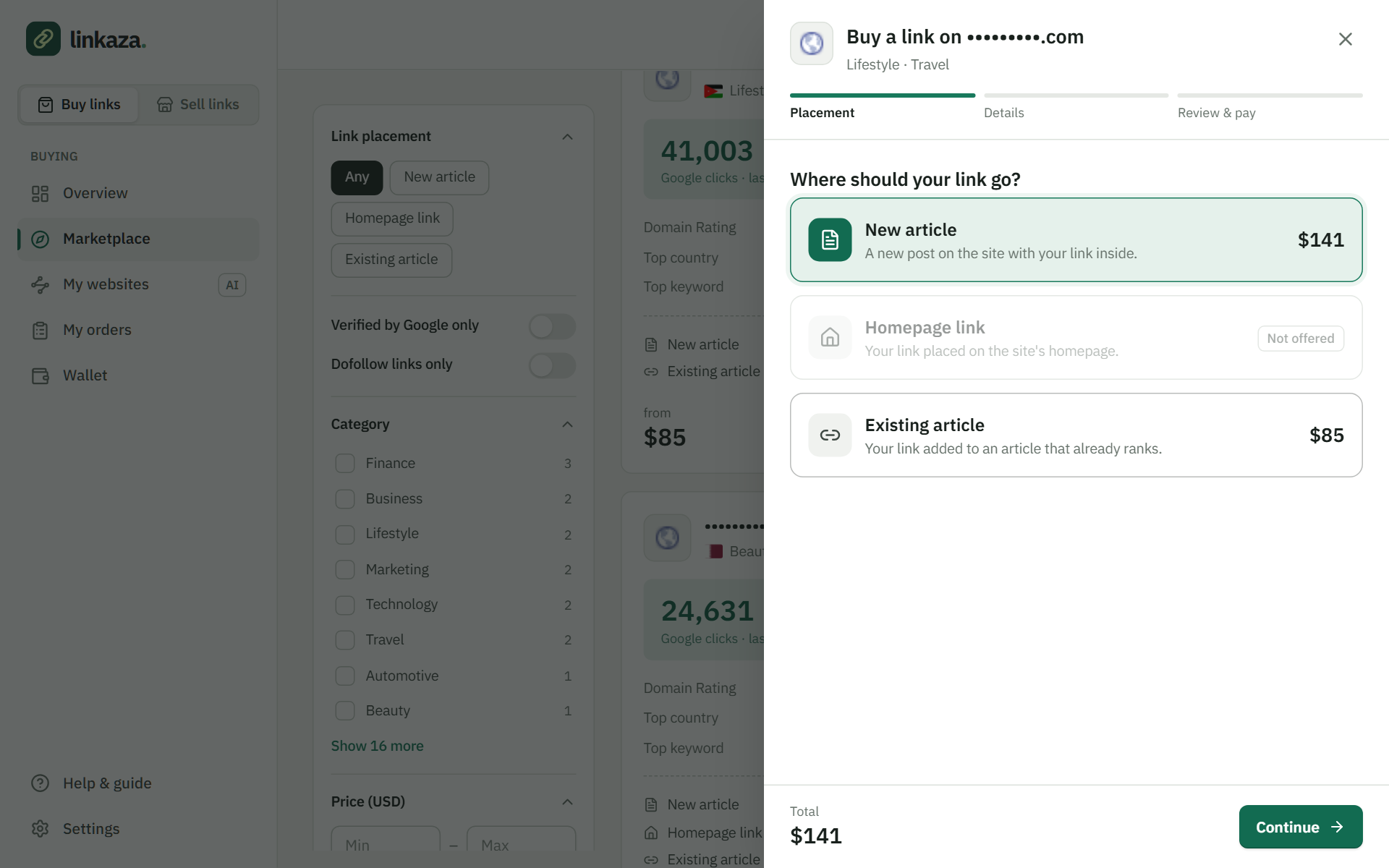
A new article, a homepage link or a link in an existing article. Add the target page and anchor text; the amount is held from your balance.
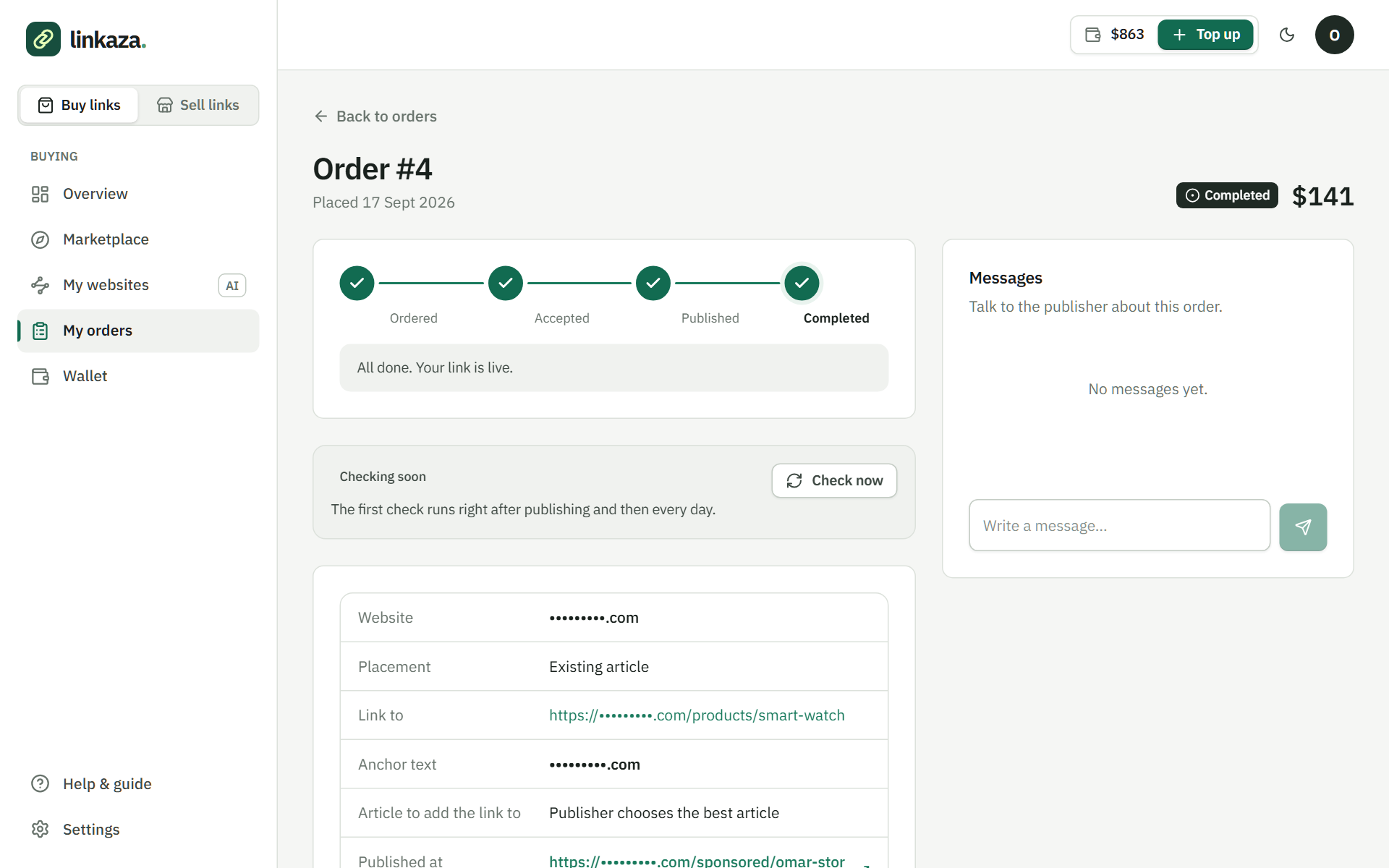
Every stage from order to completion, a chat with the publisher and the Linkaza team, and a daily check of your live link.
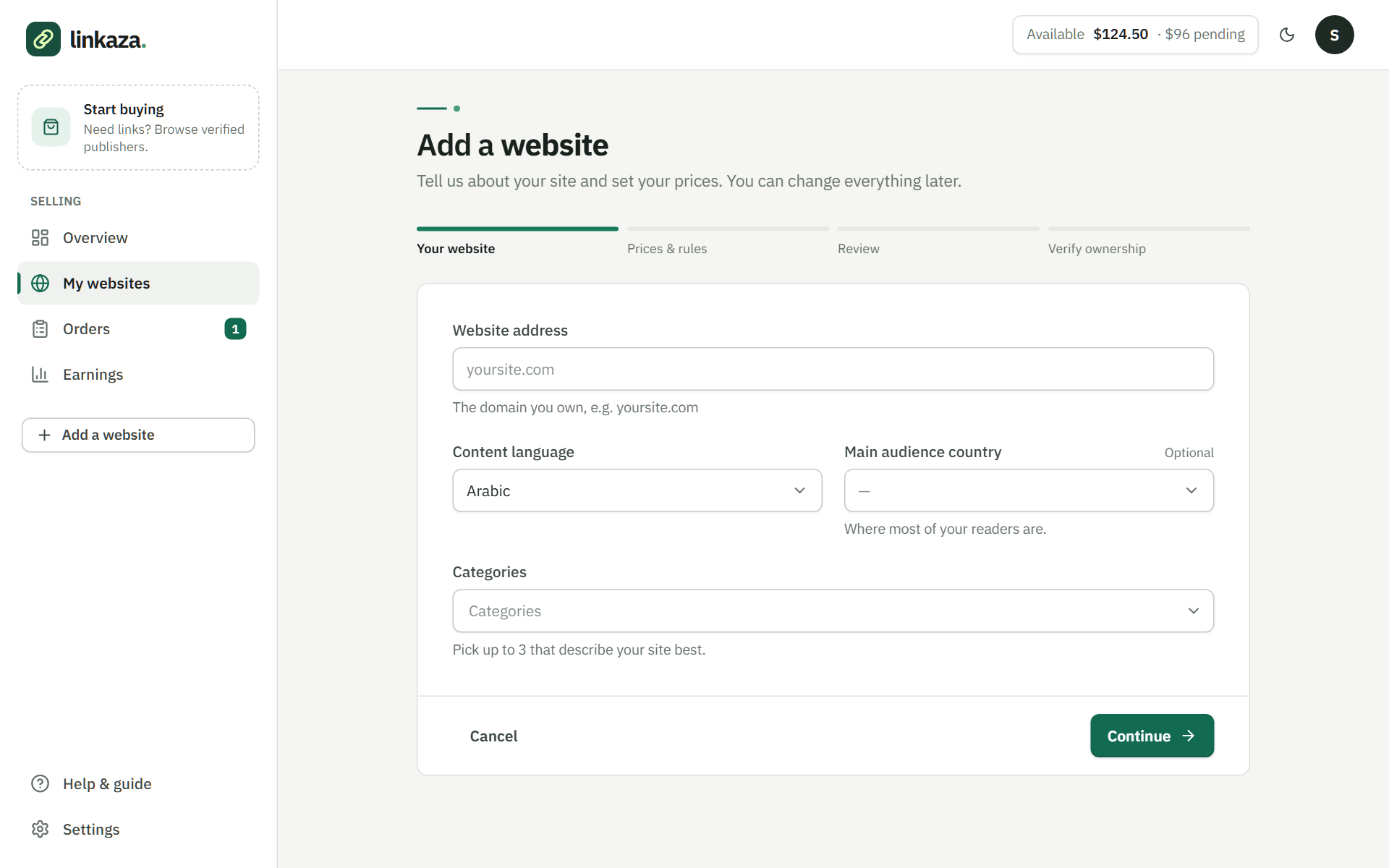
Domain, language and categories, then prices for the three placements, and ownership verified with Google Search Console.
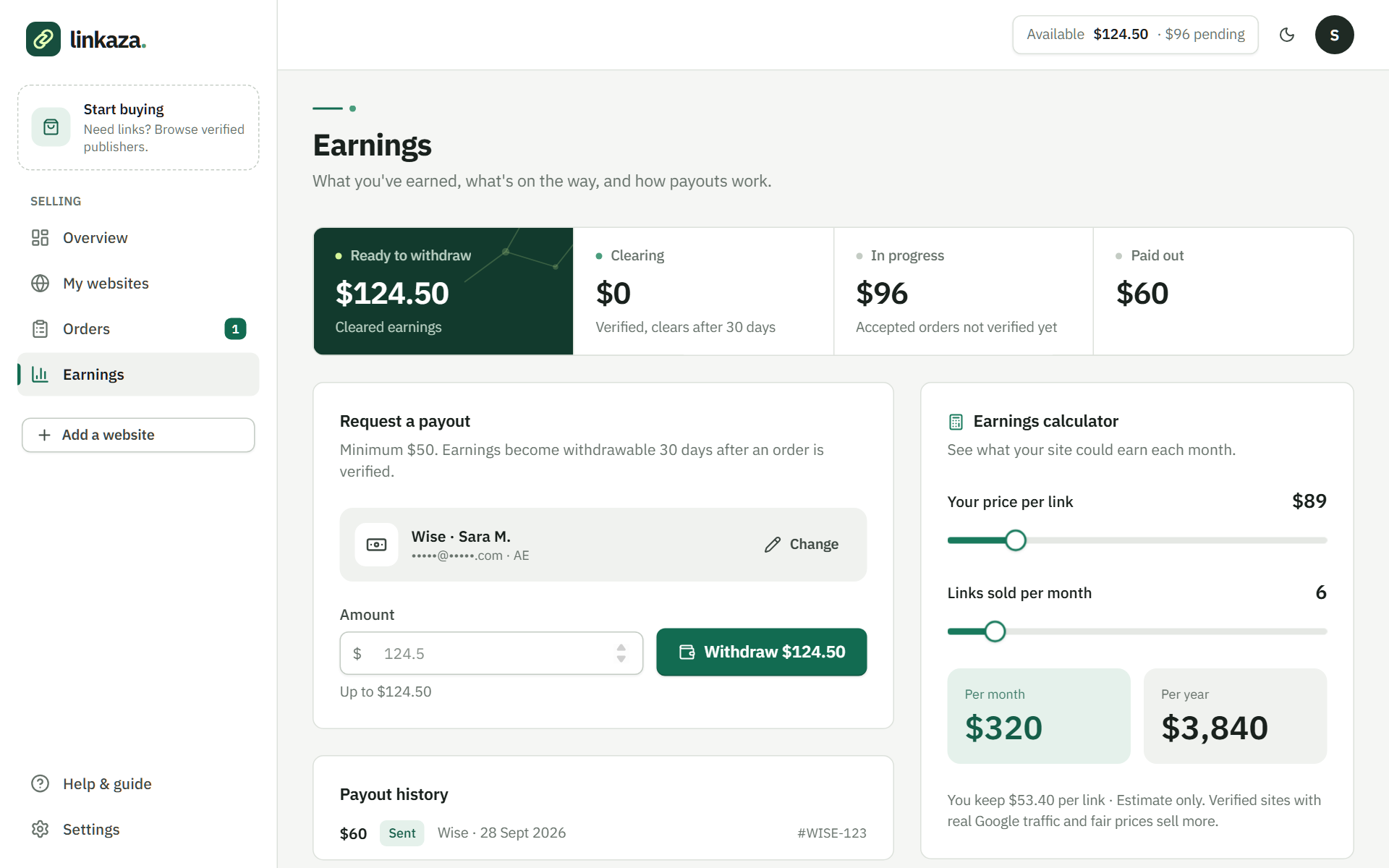
You set your own price; each order's earnings are released 30 days after completion, and you withdraw from $50 to Wise, Payoneer, PayPal or your bank.
Compare language, traffic, and prices, then place your backlink or guest post order from a free account.
Create a free accountReview publishers and offer terms before ordering